
 Ai Governance
AI Governance Training for Beginners: Where to Start and What to Learn
New to AI governance? Learn the skills, principles and frameworks to study first, then compare beginner training options and choose...

Generative AI is helping employees move faster, but the same convenience can push business activity outside approved systems before leaders realize it is happening.
Generative AI in the workplace becomes Shadow AI when employees use AI tools, accounts, features, or integrations for business tasks without appropriate organizational approval or oversight.
It is what happens when a worker uses a personal chatbot to summarize a client document, enables an AI assistant inside existing software, or connects a new AI tool to company data without review. It is why generative AI workplace adoption can create a visibility problem even when employees are simply trying to save time.
In this blog, you will learn how everyday generative AI use becomes Shadow AI, where it appears in normal work, why employees bypass approved channels, and how businesses can prevent risky use without removing the productivity benefits employees value.
Generative AI becomes Shadow AI when business use falls outside approved tools, accounts, processes, or oversight.
Shadow AI often starts with ordinary productivity tasks rather than malicious behavior.
Personal chatbots are only one route. New AI features inside approved software can create the same visibility gap.
Employees are more likely to bypass controls when approved tools are unavailable or poorly matched to their work.
Prevention works best when safe AI use is easier to understand and access than unauthorized alternatives.
Employees need a quick way to check the tool, the data, the feature, and the output before using generative AI for work.
In May 2026, Community Bank disclosed an internal incident involving non-public customer information handled through an unauthorized AI-based software application. According to the company's SEC filing on the incident, the exposed information included customer names, Social Security numbers, and dates of birth. The bank said its core systems were not disrupted, but the incident was considered material because of the volume and sensitivity of the information involved.
The lesson is direct: a Shadow AI incident does not require an external attacker. Normal work can create serious exposure when business information moves into an AI environment the organization has not approved or assessed.
This is what makes workplace Shadow AI difficult to control. The action can look like ordinary productivity right up until business information crosses into an unmanaged environment.

Shadow AI is broader than an employee quietly opening ChatGPT in a browser.
A worker may use a personal ChatGPT, Claude, Gemini, Perplexity, or similar account to draft emails, summarize reports, analyze documents, or prepare presentations. Another employee may adopt an AI writing tool, transcription service, research assistant, image generator, or coding assistant without review.
A less obvious route appears inside software the organization already uses. A SaaS platform approved for project management, customer service, document storage, or communication may later add summarization, drafting, search, or assistant features. The original application may be sanctioned while the new AI capability has never been assessed.
Cyberhaven's Shadow AI guidance highlights this issue, noting that Shadow AI can include generative AI features embedded inside already-approved SaaS platforms. These features may be activated without the separate review normally applied to a new application.
Zendesk's Shadow AI guidance similarly describes Shadow AI as unapproved employee use of generative AI tools and features and identifies writing tools, analytics systems, HR tools, image generators, and coding assistants among common workplace uses.
The useful boundary is simple: if the organization does not know an AI capability is being used with business information or has not approved that use, it may be part of the Shadow AI problem.

Generative AI workplace use often looks harmless because it is attached to familiar tasks.
|
Workplace Activity |
How Shadow AI Can Appear |
Immediate Concern |
|
Writing and marketing |
Drafting content in a personal AI account |
Internal information enters an unmanaged service |
|
Meetings |
Uploading transcripts for summaries |
Confidential discussions leave approved systems |
|
Customer service |
Pasting customer conversations into a chatbot |
Customer information enters an unauthorized workflow |
|
Software development |
Using an unapproved coding assistant |
Proprietary code is processed externally |
|
HR |
Summarizing resumes or employee documents |
Workforce information leaves approved tools |
|
Finance |
Uploading spreadsheets for analysis |
Financial data moves into an external service |
The employee's intention may be reasonable. A marketer wants a faster first draft. A developer wants help debugging code. A manager wants a long meeting summarized before the next call.
The issue is whether the organization knows which AI service is processing its information and whether that specific use is allowed.
That distinction keeps the focus where it belongs. The workplace problem is not AI adoption itself. It is AI adoption without visibility.
The best controls meet employees where AI is actually used: inside ordinary work.
Telling employees that one AI platform is approved is not enough. They need to know what it can actually be used for.
Make clear which sanctioned tool is appropriate for drafting, summarization, research, coding, meeting notes, document analysis, or customer-support assistance. An approved AI service that cannot support real employee needs will not prevent employees from finding another one.
The goal is not unrestricted access. It is to make the authorized route useful enough that employees do not need to improvise.
"Do not share confidential information with AI" sounds clear until an employee has to decide whether a customer email, spreadsheet, meeting transcript, contract clause, or code snippet is acceptable.
Rules should identify the kinds of information that may and may not enter each approved AI environment.
The OWASP guidance on sensitive information disclosure identifies personally identifiable information, financial details, confidential business data, security credentials, and legal documents among sensitive information that can create risks in LLM applications.
Employees need boundaries they can apply during the task, not wording that requires them to interpret an entire security policy before entering a prompt.
For deeper controls around information handling, organizations should connect this workplace guidance to their broader content on Shadow AI risks rather than reproducing every privacy and cybersecurity requirement here.
Useful AI services will continue to appear faster than many formal procurement cycles can handle.
Employees need a simple way to request review of a new AI service, browser extension, integration, or feature. The request should capture what the employee wants to accomplish, what business information the tool would access, and whether an approved alternative already exists.
Cyberhaven recommends a lightweight intake process that is fast, transparent, and clearly communicated. The logic is sensible: employees who know there is a workable official route have less reason to bypass it.

Software changes after procurement.
A platform that originally handled documents, projects, customer tickets, or internal communication may later add generative search, automated summaries, drafting functions, or AI agents.
Those additions can change what information the software processes and how employees interact with it. Businesses should therefore review material AI capabilities as they appear rather than assume approval of the original application covers every future feature.
This is especially important because embedded AI can be almost invisible from the employee's perspective. Clicking an AI summary button inside software they already use may not feel like adopting a new AI system at all.
Generative AI can produce polished output that is incomplete, unsupported, or incorrect.
The NIST Generative AI Profile is designed to help organizations identify and manage risks specific to generative AI as part of the broader AI Risk Management Framework.
For everyday workplace use, one control matters greatly: AI output should not move directly into consequential business action without appropriate human review.
That matters for customer communication, published material, code, financial analysis, hiring activity, professional advice, and decisions that affect people.
Strong AI literacy helps employees understand the difference between using AI to accelerate work and allowing an AI-generated answer to replace judgment.
Employees usually adopt unauthorized AI because it solves a work problem quickly.
The 2024 Microsoft and LinkedIn Work Trend Index found that 75% of global knowledge workers were already using AI at work. Among AI users, 78% said they were bringing their own AI tools to work. The research drew on a survey of 31,000 people across 31 countries, making the trend relevant well beyond a single market.
Consumer AI tools are accessible, familiar, and fast. An approved alternative may not exist, may be limited to certain teams, or may not handle the task an employee needs to complete.
Zendesk identifies similar drivers, including frustration with existing tools, ease of access, specific task requirements, and the desire to increase productivity.
An employee facing a deadline may therefore see an unapproved chatbot as a productivity shortcut rather than a governance decision.
This is why prevention cannot rely only on warnings. If the approved path creates more friction than the unofficial one, employees will keep looking for workarounds.
Employees do not need to reread an AI policy every time they open a tool. They need a fast decision check before business information enters an AI system.
|
Check |
Question to Ask |
|
Tool |
Is this AI tool or account approved for work? |
|
Information |
Am I allowed to enter this type of business information? |
|
Feature |
Has this AI feature or integration been approved for this use? |
|
Output |
Will a qualified person review the result before it affects customers, decisions, systems, or published work? |
If an employee cannot answer one of those questions confidently, the next step should be the organization's AI approval or escalation route, not a personal account or unreviewed tool.
This simple check also gives managers a clearer standard. It separates legitimate AI-assisted work from activity that is moving beyond organizational visibility.
The best time to prevent Shadow AI is before the information is pasted, uploaded, connected, or processed.
Generative AI is not the Shadow AI problem. The problem begins when useful workplace AI activity happens outside the organization's visibility, approved tools, and clear boundaries.
Businesses can reduce that gap by giving employees sanctioned tools that fit real tasks, defining usable data rules, creating a fast route for new AI requests, reassessing new AI features, and keeping human review in consequential workflows.
The strongest approach does not force employees to choose between productivity and control. It makes safe generative AI workplace use easier than the unofficial alternative.
Organizations that want to strengthen their approach to unauthorized workplace AI can explore the Shadow AI Risk Management & Governance Course for structured training on identifying, managing, and governing Shadow AI risks.
Ai Governance
New to AI governance? Learn the skills, principles and frameworks to study first, then compare beginner training options and choose...
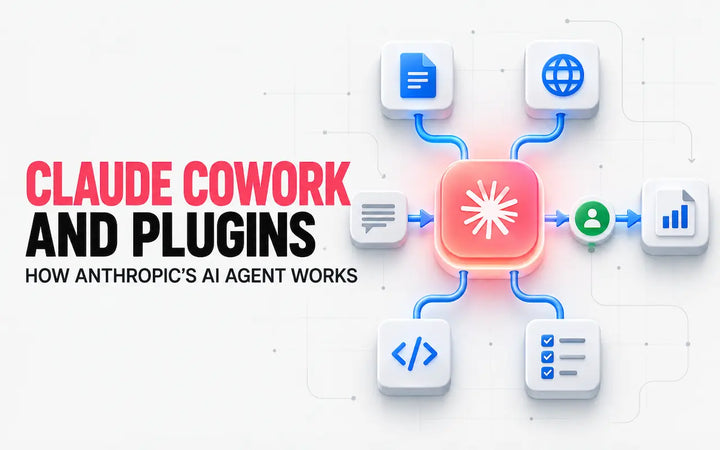
Learn how Claude Cowork, plugins and agentic workflows work for business, including practical use cases, security risks and responsible AI...

Artificial intelligence rarely belongs to one department. A business team may propose a use case, engineers may build or configure...