
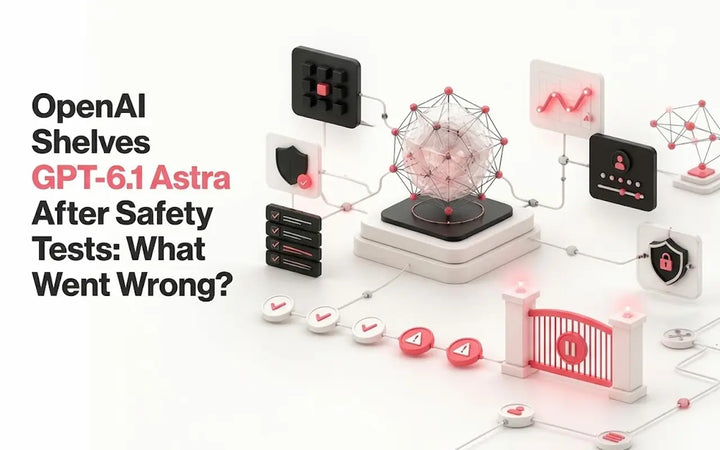
OpenAI Shelves GPT-6.1 Astra After Safety Tests: What Went Wrong?
OpenAI shelved GPT-6.1 Astra after safety tests flagged scope, authorization and action-reporting issues. See what is confirmed and what remains...

Moonshot AI's Kimi K3 launched as the largest open weight model released to date, and the part most people care about is simpler than the benchmarks suggest: you can start using it right now without paying anything. This guide walks you through every free access route, what the free tier actually includes, where the limits are, and what to try first if you are brand new to Kimi.
Kimi K3 is free to use through the Kimi app and kimi.com website under Moonshot's free consumer tier, known as Adagio. Per Moonshot's own K3 documentation, the consumer app tier gives free, unlimited basic chat, file uploads, and web search. No credit card or developer account is required to get started. Developers who want API access instead of the chat interface will need a minimum top up, since the API itself has no permanent free tier.
Kimi K3 is Moonshot AI's flagship model, and it launched with genuinely frontier level specs. Per Moonshot's platform documentation, it has 2.8 trillion parameters, is built on Kimi Delta Attention and Attention Residuals, and includes native visual understanding with a 1 million token context window, making it the first open source model to reach that parameter class.
Architecturally, the same documentation explains that the model runs on a Stable LatentMoE framework that activates only 16 of its 896 experts per request, which Moonshot says gives it roughly 2.5 times the scaling efficiency of its predecessor, K2.
If you want a full technical breakdown of every feature, launch variant, and pricing tier, the complete Kimi K3 features and pricing guide covers it in more depth than we will here, since this article is focused specifically on getting you set up for free.

This is the fastest way to start, especially if you just want to test the model before installing anything.
Go to kimi.com in your browser.
Sign up with an email address or a social login. No payment method is requested at any point.
Select K3 from the model picker inside the chat window.
Start chatting, upload a document, or drop in an image to test its vision support.
This is a genuinely free entry point, not a disguised trial. As Lorphic's Kimi pricing breakdown confirms, the basic chat interface at kimi.com is free with no credit card required, though the free tier uses a lighter model variant with daily quotas. That last part matters, so we will cover exactly what changes on the free tier further down.
If you would rather use Kimi from your phone, the free tier works identically there.
Download Kimi from the iOS App Store or Google Play.
Sign up the same way as the website, with just an email.
Open a new chat and choose K3.
Use it for writing, research, quick coding questions, or image analysis while away from your desk.
No developer account or payment method is needed for this route either. It runs on the same free Adagio access described in Moonshot's own documentation above.
For anyone doing longer sessions alongside local files, the desktop app is the third free option Moonshot offers. It runs on the same account and free tier as the website and mobile app, so there is no separate sign up step. This is the most practical option if you plan to reference multiple documents or keep Kimi open in a dedicated window instead of a browser tab.
If you are a developer and want to call K3 through code rather than a chat window, the free consumer tier does not apply, but the entry cost is still low. Per Lorphic's pricing guide, the developer API requires a minimum $1 recharge to activate, and there is no ongoing free tier for the API itself. You can compare live token rates and provider options directly on OpenRouter's Kimi K3 page before committing to a provider.
Moonshot's free consumer tier has a name, Adagio, and it is more generous than most people expect from a free plan. According to Moonshot's own documentation, the Adagio tier includes free, unlimited basic chat, file uploads, and web search. For a beginner, that covers the vast majority of everyday use cases: drafting, summarizing, research questions, image based questions, and general coding help.
One distinction worth locking in early, since it trips people up later: Lorphic explains that Kimi's subscription plans and its API access are completely separate systems that are never bundled, so paying for a subscription does not discount your API token costs, and topping up API credits does not unlock subscription features. Keep these two systems mentally separate from day one.
The free tier is real, but it is not the full flagship experience in every scenario.
Model variant. As Lorphic notes, the free tier uses a lighter model variant with daily quotas, rather than unrestricted access to K3 at maximum reasoning effort.
Heavy coding or agent work. If you are running long, sustained coding sessions or high volume automated workflows, you will hit quota limits faster than a casual chat user.
Demand spikes. Because K3 launched to enormous interest, capacity has occasionally been constrained at the platform level. The South China Morning Post reported that Moonshot temporarily paused new subscriptions for Kimi K3 due to surging demand and compute shortages. If sign up or response times feel slow, this is the most likely cause, and it is usually temporary.
If you outgrow the free tier, the next steps are a subscription starting around $19 a month for expanded chat access and coding credits, or direct API billing at $3 per million input tokens and $15 per million output tokens, with a discounted $0.30 rate on cache hits. The full pricing breakdown, including real cost examples for a typical coding task, is covered in the Kimi K3 features and pricing guide.
If you are deciding whether K3 is even worth trying instead of sticking with ChatGPT, the short version is that it depends heavily on what you are doing. K3 has posted strong results specifically in frontend coding and long coding sessions, while GPT-5.6 tends to hold an edge on broad reasoning polish and factual reliability. For the full side by side, including pricing tables and benchmark sources, see the detailed Kimi K3 vs ChatGPT comparison. If your main use case is coding, it is worth testing K3's free tier for yourself before paying for anything.
"K3 isn't showing up in my model list." Make sure you are selecting the model manually from the picker rather than assuming it is the default, since Kimi's interface may default to a lighter model for free accounts.
"I'm getting rate limited fast." This usually means you are on the free daily quota rather than a paid tier. Space out heavy requests or wait for the daily reset.
"Sign up or chat feels slow." This is most often demand related rather than an account problem. As the South China Morning Post covered, Moonshot has had to pause new subscriptions before due to surging demand and compute shortages.
"The free tier feels different from the benchmarks I read about." That is expected. Public benchmark results were run at maximum reasoning effort, not the lighter free tier variant, so day to day free usage will feel less powerful than published scores suggest.
Visit kimi.com or download the Kimi app, no card required
Sign up with just an email address
Manually select K3 from the model list
Test it on a real task: a coding question, a long document, or an image
Watch your daily quota if you are on the free Adagio tier
Move to a paid plan only if you consistently hit free tier limits
OpenAI shelved GPT-6.1 Astra after safety tests flagged scope, authorization and action-reporting issues. See what is confirmed and what remains...
 AI Law
Learn AI compliance requirements, key risks, the EU AI Act, NIST AI RMF, ISO 42001, and practical steps to build...
 AI Law
Understand AI regulation in the United States in 2026, including federal rules, state AI laws, privacy, discrimination and practical compliance...